Tags
You can attach tags, or keywords, to a page, in much the same way that you can add keywords to photos in iPhoto. Using Tags allow you to categorize pages based on their content.
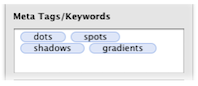
To add tags to a page:
- Select the page in the Site Navigator.
- Open the Page Inspector (to the Page tab).
- Type a tag such as "news" or "world news".
- Press the return key. The tag becomes surrounded by a blue "lozenge."
- Enter more tags if desired.
The tags can also be separated by a comma.
Usage
Once you have added tags to a page, Sandvox makes use of them in the following ways:
- <meta> tags
- Sandvox inserts the tags in <meta> tags at the start of the page's published HTML. These used to be used by search engines as way of categorizing and ranking your site, but this is no longer the case.
Google has explicitly stated that they do not use meta tags for ranking your website. - RSS Feeds
- If the page is part of a collection that generates an RSS feed, the tags will be included in the RSS feed. Some RSS readers and websites then make use of this information.
- Spotlight
- Spotlight looks at the tags of every page of a Sandvox site when searching. For more information, please see the "Spotlight Support" article.
Keywords: keyword, keywords, page, detail, details, meta, tag, tags, tagged, tagging, rss, feed, feeds, spotlight, search, searches, searching, category, categories, categorise, categorize, categorised, categorize, categorising, categorizing
