Sandvox Badge
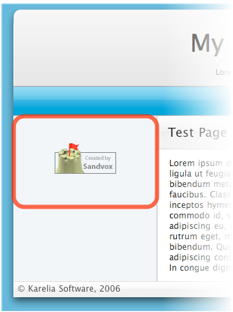
A Sandvox Badge is a simple object to tell you visitors that your site was created with Sandvox. Visitors can click on the badge to go to the Sandvox website.
When a new site is created, the Home Page automatically contains a Sandvox Badge in the Sidebar. We hope you'll want to keep the badge there, but if not it's easy to remove like any other object.
Editing

To edit a Sandvox Badge, you use the Object Inspector. In addition to those listed below, there are some general object attributes that can be set.
Badge Type
Eight badge designs are available.
Open link in new window
Check this box if you want this link to open in a new window, so that visitor's don't actually leave your website as they find out more about Sandvox.
Include referral code in link
When a visitor clicks on the Sandvox badge, they are taken to the Sandvox website. Normally, the link they are sent to contains a unique code that allows Karelia to identify the site they came from. If you wish to avoid us knowing this information, uncheck the box to make the link anonymous.
Removing the Sandvox Badge
The Sandvox badge is just like any other object, which can be removed by:
- Clicking the badge to select it.
- Choosing "Delete" from the Edit menu, or hitting the delete key.
Adding/Restoring the Sandvox Badge
To restore the Sandvox Badge, you can do any of the following methods:
- Choose "Sandvox Badge" from "Objects" in the toolbar.
- From the Insert Menu, roll over "More" then choose "Sandvox Badge."
Keywords: sandvox, badge, badges, create, created, made, referral, anon, anonymous, refer, referral, logo, logos, brand, branding, object, objects, remove, removing, delete, deleting, rid, ridding, rid of, get, getting, logo, icon, banner, emblem, insignia
