Page Counter
A Page Counter is an object that logs and displays the number of times a page has been viewed by site visitors. It can be added by selecting "Page Counter" from the Objects item in the toolbar.
Settings
To edit a Page Counter:
- Click the Page Counter to select it.
- Open the Object Inspector.
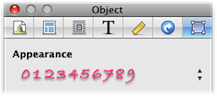
Theme
There are a wide number of themes available for the Page Counter.
- Text
- The number of page views is displayed in the standard text style for your site.
- Invisible
- The actual figure is kept hidden from site visitors. You can visit http://service.karelia.com/ctr/ and enter the URL of a page from your site to find out how many times it has been viewed.
- Graphical
- Displays the number of page views using a fancy graphical style. There are plenty of options to choose here!
What to do if the page counter never gets incremented
If the page counter is stuck (usually at zero), it may be that the URL that you have told people to go visit (e.g. example.com) is not the same as the URL that you have told Sandvox about from the Host Setup Assistant for incrementing the counter (e.g. www.example.com). The counter increments a number according to the URL that you registered with Sandvox (the URL Format plus subfolder you specified); this is not necessarily the same URL that somebody may visit in their browser.
If this is an issue, you should set up the URL correctly within Sandvox, and re-publish.
Caution
Each page in your website that holds the page counter holds a separate entry in our database of page accesses, keyed by the actual URL.
If you change the URL where your site is published (e.g. getting a new domain name), the page counter will start freshly at zero.
If your page is re-visited by the same visitor, it may be cached in the his/her browser, and thus not register as a new page view. This method of page view counting, thus, is fairly useful, but not entirely accurate. Other page-counter techniques such as viewing log files provided by your host, or installing Google Analytics, may be useful as well.
Keywords: page, pages, count, counts, counter, counted, number, numbers, view, views, viewed, viewing, visitor, visitors, visit, visits, visited, hit, hits, object, objects, access, accessed, accessing
