List of Links
A List of Links is an object that holds a list of hyperlinks to external webpages. You can use this feature to display other sites of yours, to collect sites relevant to the topic of your site, or just to show visitors some of your personal favorites. It can be added by selecting "List of External Links" from the Objects item in the toolbar.
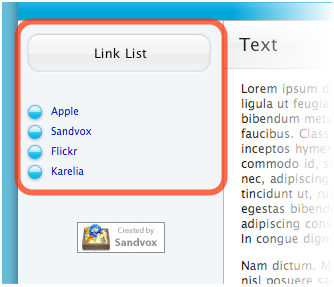
A typical List of Links looks something like this:
Editing
To edit a List of Links:
- Select the List of Links by clicking it.
- Open the Object Inspector.
- Click on the link in the list to edit it.

Change the Order of Links
You can change the order of items in the link list by clicking and dragging them in the Inspector.
Add a Link
To add a link, click the plus button in the Inspector. If you have Safari set as your default web browser, the new link will automatically be the web page in the foremost open window of Safari. (If this isn't the page you want to link to, just type over the text or cut and paste the correct URL).
Remove a Link
To remove a link, select it in the table and click the minus button.
Edit Link Information
To edit a link, select it in the table and use the boxes below the table to enter the title and URL of the link.
Comment
Text you type in the comment box will appear under the link in the List of Links. You can use comments to help your visitors know what to expect if they follow a link.
Options
Click on the "Options" tab in order to choose whether to open links in a new window and whether or not to bullet the items in the List of Links.
Keywords: list, link, links, lists, listing, object
