Favicon
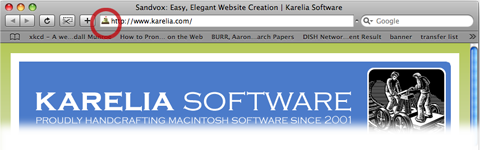
A favicon is a small image (16x16 pixels) that represents your site. Most web browser display the icon when viewing a site. For example, in Safari, the favicon is found here:
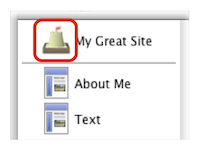
Also, while working on a site in Sandvox, an *enlarged* version of the favicon is displayed next to the Home Page in the Site Navigator:
To set a site's favicon:
- Open the Document Inspector.
- Go to the Appearance tab.
-
Drag an image from the Media Browser, the Finder or another application to the "Favicon" box or click "Image Fill" from the pop up list to choose a file.
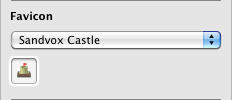
To remove the icon again, click the 'none' or 'Sandvox Castle' options from the pop up.
There is a difference between 'none' (which means that the browser will just show some default image such as a globe) and the Sandvox Castle, which is standard for a Sandvox-built website unless customized.
The favicon is 16x16 pixels. If you try to set a larger image for the favicon, Sandvox will automatically resize it for you. However, due to the tiny sizing, this may result in a severe loss of quality, so it's best to use a 16x16 pixel image to start with.
Creating a good Favicon
Because a favicon is so very small, it's important that it be as simple as possible while still capturing the essence of your website. Whether it be a picture of you or a logo of your company or organization, it needs to be clear and recognizable. For some great examples of favicon, take a look at some of the examples compiled by Smashing Magazine.
Building a Favion Externally
For the very best results, you may want to create your favicon with an external program or service, so that you can get the pixels just right. If you save your favicon file in the ".ico" format, and then select this in Sandvox, the file will be used as-is. This would allow you to, for example, build a multiple-resolution file so that the icon looks best at different resolutions.
Keywords: favicon, icon, favorite, favourite, site, image, representation, address, bar
