Delicious List
Overview
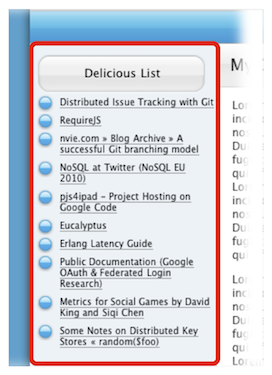
A Delicious List is an object that lists the bookmarks of a delicious.com account. A typical list looks like this:
Settings
You can add this object to your site by selecting "Delicious List" from the Objects toolbar item. To edit a Delicious List, you use the Object Inspector. In addition to those listed below, there are some general object attributes that can be set.

Delicious ID
The user ID of your delicious.com account.
Only show tags
Limits the articles displayed to only those that match the tags you specify. You can use spaces to separate multiple tags. So, for example to limit the Delicious List to only bookmarks about Sandvox and Apple, you would enter:
sandvox apple
Maximum entries
The number of recent bookmarks to limit the list to.
Sort
How the bookmarks will be sorted in the list. "Chronologically" will position the most recent bookmarks at the top of the list, while "Alphabetically" will sort the list from A to Z.
Style
Whether the list should be displayed as bullet points or a simple list of text.
Show Tags
If checked, the object will also display the tags associated with each bookmark.
Show Extended
If any additional information has been added to a tag, this option will display it.
Links
Check "Open in new window" so that sites in your list will not replace your site when a visitor clicks a link.
Keywords: delicious, del.icio.us, del.icious, de.licio.us, del.ici.ous, del.icio.us.com, list, bookmark, bookmarks, account
